Frequently asked questions
Find answers to questions about our products, licenses, subscriptions, and services.
Popular questions
How do I download and install the RussWave plugins?
How do I download and install the RussWave plugins?
After your purchase, you will receive access to the necessary download and installation information. Follow the installation guide for your operating system, and then open the plugin in a compatible music program
How do I activate my RussWave license?
How do I activate my RussWave license?
Activation occurs either with a license key or by logging into your RussWave account, depending on which license type you have purchased. Follow the instructions you receive after the purchase.
Does RussWave work on both Windows and macOS?
Does RussWave work on both Windows and macOS?
RussWave offers plugins for Windows and macOS. Supported system versions, plugin formats, and DAWs can be found under the system requirements on the respective product page.
Do I need AI Assistant to use the RussWave plugins?
Do I need AI Assistant to use the RussWave plugins?
No. Our plugins work without AI Assistant. AI Assistant is an optional add-on service that provides access to AI-powered features through a separate subscription.
What is the difference between a permanent license and Rent-to-Own?
What is the difference between a permanent license and Rent-to-Own?
With a permanent license, you pay once and receive perpetual usage rights. With Rent-to-Own, you pay periodically and receive a permanent license after the agreed number of payments has been completed.
How do I manage or cancel my subscription?
How do I manage or cancel my subscription?
You can manage your subscription, update payment information, and cancel future renewals through our subscription portal.
Get started
What is RussWave?
What is RussWave?
RussWave develops digital tools for music production. The products are used to create and shape sound in a compatible digital audio workstation. See the information on each product page to find out what the product contains and requires.
How do I get started after purchasing?
How do I get started after purchasing?
Follow the delivery information you receive after the purchase and download the correct version for your computer. Install the product and follow any instructions for account and license activation. If you are missing a download or delivery information, contact us with your order number.
How do I install a RussWave plugin?
How do I install a RussWave plugin?
Close your music software before installing. Extract the ZIP file if the download is zipped: On Mac, open the disk image and run the PKG installer; on Windows, run the EXE installer. Follow the wizard, reopen your music software, and rescan for new plugins if the product does not appear automatically.
How do I open the plugin in my music software?
How do I open the plugin in my music software?
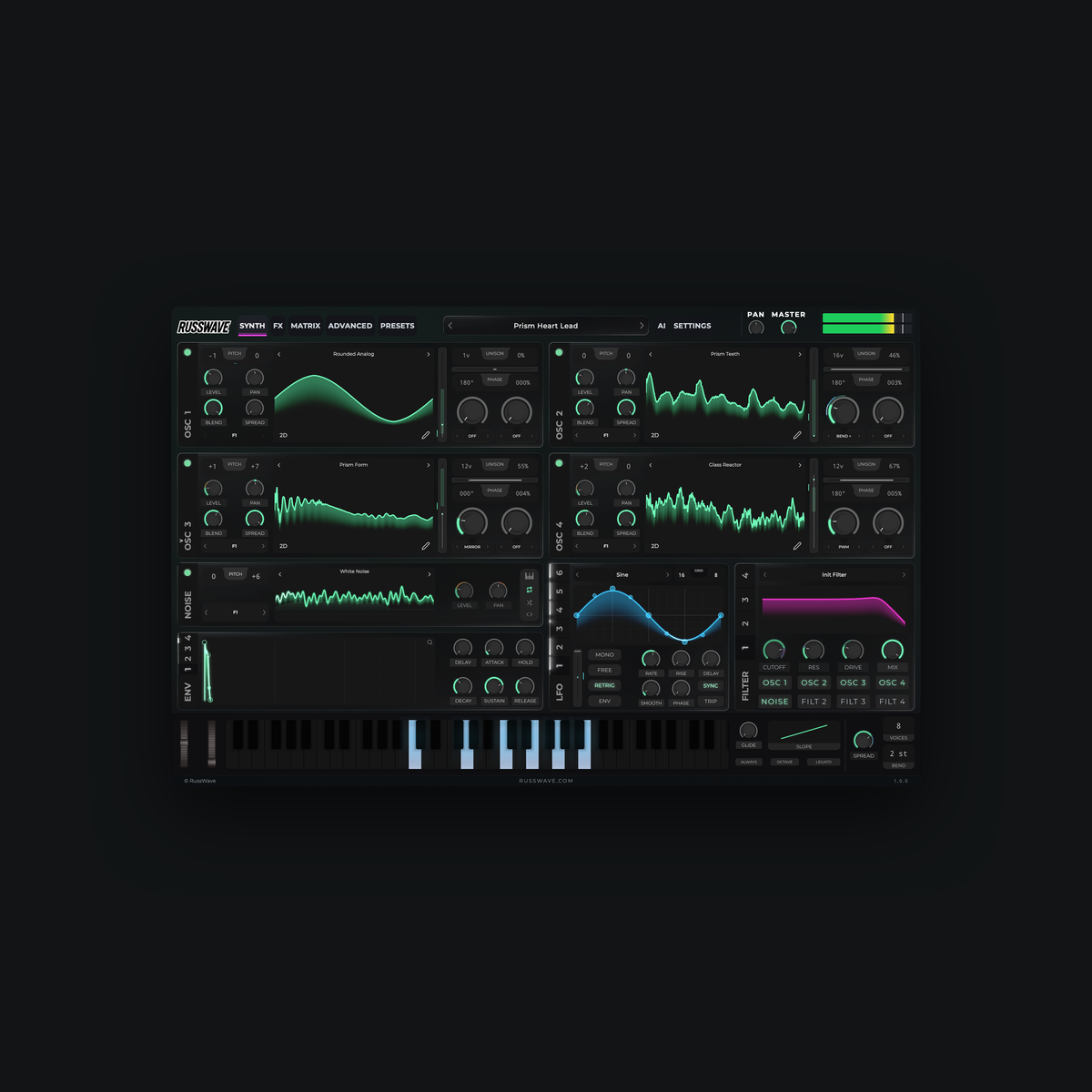
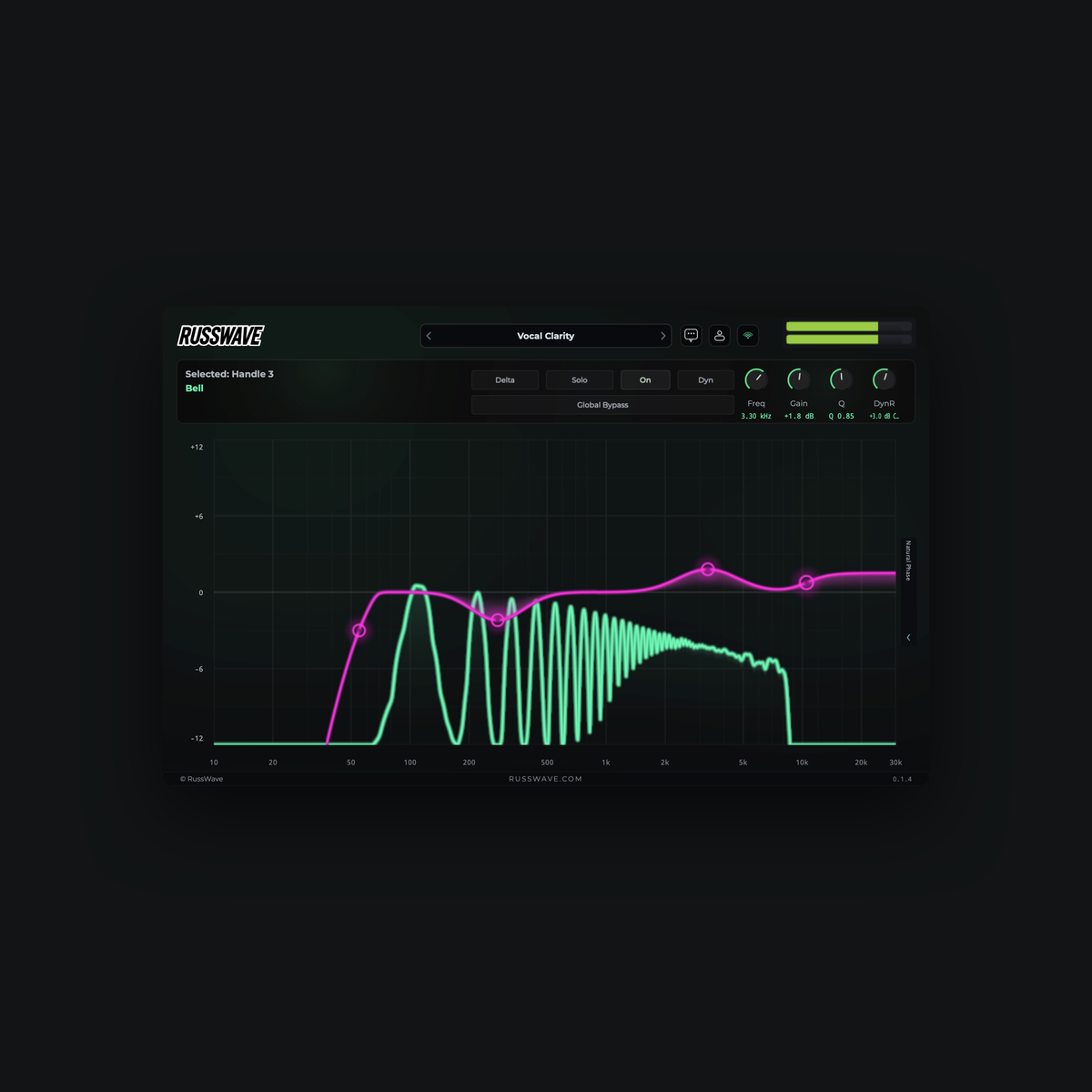
RussWave Synthesizer is added as an instrument to a track that receives MIDI notes. RussWave EQ is added as an effect to a track or mixer channel that contains audio. Where you find the plugins depends on the music software you are using.
Do I need a RussWave account, and how do I activate it?
Do I need a RussWave account, and how do I activate it?
RussWave EQ and RussWave Synthesizer use a RussWave account for login and license activation. Use the email address associated with your purchase and verify the address via the email you receive. Then, open "Account" in the plugin and log in.
What is the difference between RussWave EQ and RussWave Synthesizer?
What is the difference between RussWave EQ and RussWave Synthesizer?
RussWave EQ is an audio effect used to adjust the frequency balance in existing audio. RussWave Synthesizer is an instrument that generates sound from MIDI notes and is used for bass, melodies, chords, and sound design, among other things. The products have separate licenses.
See the RussWave EQ and RussWave Synthesizer products for more info.
Does RussWave work on Mac and Windows?
Does RussWave work on Mac and Windows?
RussWave EQ and RussWave Synthesizer are available for Mac with Apple Silicon and for Windows x64. The Mac versions use AU and VST3, while the Windows versions use VST3. Always check the system requirements for the relevant product before purchasing.
Do the plugins work in FL Studio, Logic Pro, and Ableton Live?
Do the plugins work in FL Studio, Logic Pro, and Ableton Live?
Yes, our plugins support FL Studio, Logic Pro, and Ableton Live.
Can I use RussWave in music that I release or sell?
Can I use RussWave in music that I release or sell?
Yes, you can use the product to create and release your own music, including commercially. This does not grant the right to resell or share the software itself or to distribute the included audio content as a standalone sound or preset pack. Any specific terms for add-on packs are stated at the time of purchase.
See also Terms of Service.
Can I use older RussWave presets in the RussWave Synthesizer?
Can I use older RussWave presets in the RussWave Synthesizer?
No. Our previous plugins and associated preset packs:
- RussWave VST Plugin
- RussWave VST 2.0
- RussWave Ultimate Bundle
are not compatible with the new and upgraded RussWave Synthesizer.
Have you purchased one or more of our previous plugins? Then you can upgrade to the RussWave Synthesizer with a 50% discount!
Log in to the website using the same account you used for your previous purchase. The 50% discount is automatically applied at checkout, allowing you to easily upgrade to our latest synthesizer at half price.
Are you experiencing issues receiving the discount? Contact us, and we will assist you!
Can I use older RussWave presets in the RussWave Synthesizer?
Can I use older RussWave presets in the RussWave Synthesizer?
No. Our previous plugins and associated preset packs:
- RussWave VST Plugin
- RussWave VST 2.0
- RussWave Ultimate Bundle
are not compatible with the new and upgraded RussWave Synthesizer.
Have you purchased one or more of our previous plugins? Then you can upgrade to the RussWave Synthesizer with a 50% discount!
Log in to the website using the same account you used for your previous purchase. The 50% discount is automatically applied at checkout, allowing you to easily upgrade to our latest synthesizer at half price.
Are you experiencing issues receiving the discount? Contact us, and we will assist you!
Licenses and account
What does a permanent license entail?
What does a permanent license entail?
A perpetual license provides a lifetime right to use the product included in the purchase, in accordance with the license terms. You do not need an ongoing AI Assistant subscription to use the plugin itself. It is an optional add-on to our plugins.
How many computers can I activate the license on?
How many computers can I activate the license on?
A product license can be activated on up to two computers. Device slots apply separately for each license, and the license is personal.
Link: Terms of Service and Contact.
What do I do when I change computers or operating systems?
What do I do when I change computers or operating systems?
Install a supported version of the product on the new computer, log in with the same RussWave account, and activate the product license. A new computer uses one device slot.
Can I use a perpetual license without internet?
Can I use a perpetual license without internet?
Yes, after activation, the plugin itself can be used without an internet connection. It may be necessary to connect to the internet again to renew the activation; please follow the information under "Account". AI Assistant requires an internet connection.
How do I update the plugin, and are new versions included?
How do I update the plugin, and are new versions included?
Use the official download information for the product, and close your music software before running the update. Save important projects and your own presets before updating. Updates are included in the license for the specific plugin you have purchased.
AI-assistent
What is RussWave AI Assistant, and do I need it?
What is RussWave AI Assistant, and do I need it?
RussWave AI Assistant is an optional add-on service that provides assistance directly within compatible RussWave plugins. You can describe what you want to achieve, get explanations, and receive help adjusting settings. The plugin itself can be used without the AI Assistant.
Do I have to own both plugins, and can they share an AI subscription?
Do I have to own both plugins, and can they share an AI subscription?
No, you only need valid access to the plugin you want to use the assistant in. If you have access to both RussWave EQ and RussWave Synthesizer on the same account, you can use the shared RussWave AI Assistant subscription in both. The credits are shared between the products.
What is the difference between AI Start, AI Pro, and AI Studio?
What is the difference between AI Start, AI Pro, and AI Studio?
The plans provide different monthly credit quotas: AI Start includes 1,800 RussWave AI Credits, AI Pro includes 4,400, and AI Studio includes 9,000. The credits are used for the AI Assistant in compatible RussWave products. See the plan comparison for other differences between the subscriptions.
What are RussWave AI Credits, and how much does a request use?
What are RussWave AI Credits, and how much does a request use?
RussWave AI Credits is the unit of measurement for using the AI Assistant. Consumption varies depending on the selected work mode and the scope of the processing and the response; therefore, one message does not always have the same credit cost. A task with multiple responses may consume credits multiple times.
Where can I see my used and remaining AI credits?
Where can I see my used and remaining AI credits?
Open "Account" in the plugin to view your subscription tier, used credits, remaining balance, and next renewal. The balance is updated after use and synchronization. If you use the same shared AI subscription across multiple compatible plugins, the same shared balance will be displayed.
When are the credits renewed, including for annual subscriptions?
When are the credits renewed, including for annual subscriptions?
Credits are renewed each month as long as the subscription remains active. Annual payment provides the same monthly quota as the corresponding monthly plan, not the entire year's credits at once. Unused credits do not roll over to the next period; the next renewal date is displayed in "Account".
What happens if I run out of AI credits?
What happens if I run out of AI credits?
You must wait until the next credit renewal before you can use more of the AI Assistant, or explore the possibility of changing your subscription. Credits renew automatically when the next credit period starts, as long as the subscription provides valid access. You can still use the plugin itself if your product license is valid.
Do I lose credits if the AI request fails or is interrupted?
Do I lose credits if the AI request fails or is interrupted?
Requests that fail without a completed response becoming available shall not be charged AI credits. Credits may be temporarily reserved while the request is being processed. If the response has already been completed and can be retrieved, it may have been charged even if the connection was lost.
Contact us in case of balance errors.
Subscriptions and payment
What is the difference between a monthly and an annual AI subscription?
What is the difference between a monthly and an annual AI subscription?
A monthly subscription is paid monthly, while an annual subscription is paid for one year at a time. Both provide monthly renewal of AI credits. The subscription renews automatically according to the agreement unless it is cancelled.
How do I change my subscription, payment method, or find my payment history?
How do I change my subscription, payment method, or find my payment history?
Open "Manage your subscription" and use the email address associated with the subscription. There, you will see which actions are available for your agreement. If you wish to upgrade, downgrade, or change your billing interval and the option is not displayed, contact us before purchasing a new subscription.
How do I cancel my subscription?
How do I cancel my subscription?
Use the cancellation option in the subscription management or contact us at kontakt@russwave.no. You will receive information about when the cancellation takes effect and your access ends. Canceling the AI Assistant does not terminate a separate permanent product license.
Can I resume a subscription that I have cancelled?
Can I resume a subscription that I have cancelled?
Yes! If you have canceled your subscription, you can easily undo the cancellation via the subscription portal, as long as the subscription is still active and has not expired.
If the subscription has already expired, you must create a new subscription via our AI Assistant subscription page.
What happens if a subscription payment fails?
What happens if a subscription payment fails?
Follow the payment instructions you receive and check your payment method. Subscription access may be restricted if payment is not arranged. Do not create an additional subscription to resolve the issue; contact us if you have already paid or need assistance.
Why can the price or charged amount vary between countries?
Why can the price or charged amount vary between countries?
Always check the currency, fees, and total price before confirming your purchase. If your payment method uses a different currency, your bank or payment provider may perform a currency conversion or apply additional fees. Contact us if the amount in the order does not match the purchase you authorized.
Leie-til-eie
What is Rent-to-Own?
What is Rent-to-Own?
Rent-to-Own allows you to use a plugin while making an agreed number of payments. Once all required installments have been credited and further billing for the product has stopped, you will receive a permanent license. AI Assistant is a separate add-on service and is not automatically included.
Read more here.
How many payments do I need, and where can I see the progress?
How many payments do I need, and where can I see the progress?
The number of payments is stated in the agreement for the product you are purchasing. In "Account," you can see how many installments have been credited, the total number, and how many remain. Progress applies to each product separately.
Do I get a license key when I start, and what happens after the final payment?
Do I get a license key when I start, and what happens after the final payment?
The Rent-to-Own access is linked to your account, and you will not receive a permanent license key with your first payment. After the final required installment has been credited, the completion is verified. The permanent license key is then sent via email so that you can activate it in the plugin.
Can I terminate Rent-to-Own before the product is fully paid for?
Can I terminate Rent-to-Own before the product is fully paid for?
You may terminate a terminable Rent-to-Own agreement before it is completed. Access will continue until the end of the paid access period, unless you already hold a permanent license. Termination does not entitle you to a refund for previous periods, and you will not receive a permanent license until the agreement is completed (all payments have been made).
Do I keep my progress if I start Rent-to-Own again later?
Do I keep my progress if I start Rent-to-Own again later?
Previously credited installments for the same product are retained in your RussWave account. Upon resumption, this progress is used to calculate how many installments remain. Use the same account; any refunds or adjustments may affect which installments still count.
Why does Rent-to-Own require internet?
Why does Rent-to-Own require internet?
The plugin must regularly verify that Rent-to-Own access is valid. If the connection is lost for long enough that the temporary access expires, usage will be restricted until valid access can be confirmed again. Once a permanent license is completed and activated, the product's offline usage rules apply.
What happens to the progress if a Rent-to-Own payment fails?
What happens to the progress if a Rent-to-Own payment fails?
An unpaid period does not result in a new credited installment. Previously credited progress is retained, and already paid access remains valid until the end of the current period. Once payment is confirmed, progress is updated according to the agreement; a permanent license is not issued until all necessary installments have been credited.
Does a discounted payment count as a full Rent-to-Own installment?
Does a discounted payment count as a full Rent-to-Own installment?
Yes, a subscription period that is fully settled with a valid discount applicable to the Rent-to-Own agreement counts as one installment for the product in question. An approved promotion may also cover the price for the entire period. The duration of the discount follows the promotional terms and is not automatically carried over to subsequent periods.
Can I purchase multiple Rent-to-Own products at the same time?
Can I purchase multiple Rent-to-Own products at the same time?
Yes, when the combination is offered in the online store, each product has its own progress even though the payments are part of the same subscription. A product that has been fully paid for should not continue to be charged because another product has remaining installments. Each completed product agreement provides its own permanent license.
Can I cancel just one product in a bundled Rent-to-Own subscription?
Can I cancel just one product in a bundled Rent-to-Own subscription?
Do not use "Unsubscribe" if you only want to stop one of several products; the choice may apply to the entire subscription. Contact us first so that we can clarify which changes the agreement supports. A permanent license you have already obtained for another product will not be affected by the termination of the remaining agreement.
Right of withdrawal and refund
Do I have a right of withdrawal when purchasing a digital product?
Do I have a right of withdrawal when purchasing a digital product?
When purchasing permanent digital licenses from RussWave, the right of withdrawal is waived once delivery begins, in accordance with the consent you provide before payment. We therefore do not offer standard refunds on delivered digital products.
For AI subscriptions and Rent-to-Own licenses, you can cancel at any time via our subscription portal. You will retain access for the remainder of the already paid period, and you will not be charged on the next billing date.
Can I get a refund after the purchase or when I cancel?
Can I get a refund after the purchase or when I cancel?
As a general rule, RussWave does not offer refunds on digital products once delivery has started and the right of withdrawal has validly expired.
For AI subscriptions and Rent-to-Own licenses, you can cancel at any time via our subscription portal. You will retain access until the end of the already paid period and will not be charged on the next billing date.
What do I do if the plugin is not working?
What do I do if the plugin is not working?
If you are experiencing technical issues, we recommend that you first check the system requirements and follow the installation guide. If the problem persists, please contact us with your order number and a description of the issue, and we will help you find a solution.
What happens if I buy the wrong product?
What happens if I buy the wrong product?
We recommend that you always check the product description, compatibility, and system requirements before completing your purchase. As a general rule, digital products cannot be returned or refunded once delivery has started and the right of withdrawal has validly lapsed. See our refund policy for more information. Please contact us with your order number if you have any questions.
Where can I find the terms and conditions and the privacy policy?
Where can I find the terms and conditions and the privacy policy?
You will find our terms of sale, subscription terms, terms of use, and privacy policy at the bottom of the website. Please also keep your order confirmation and the information you received at the time of purchase. Contact us if you are unsure which terms apply to your agreement.
Terms of sale, Subscription terms, Terms of use, Privacy policy.
The plugin is not showing up in my DAW. What should I do?
The plugin is not showing up in my DAW. What should I do?
Check that you have installed the correct edition, and restart your music software. In FL Studio, you can open the Plugin Manager and run "Find installed plugins"; in Logic Pro, check the AU version in the Plug-in Manager and rescan if necessary. Look for Synthesizer among the instruments and EQ among the effects.
See, for example, FL Studio's installation guide and Apple's help for plugins that do not appear.
I cannot open the download or complete the installation. What should I do?
I cannot open the download or complete the installation. What should I do?
Verify that the file has finished downloading and is compatible with your operating system. Unzip the ZIP file before starting the installation, and download the file again from the official delivery if it is corrupted.
Contact us if you encounter any problems.
RussWave Synthesizer is not producing any sound. What should I check?
RussWave Synthesizer is not producing any sound. What should I check?
Verify that the RussWave Synthesizer is receiving MIDI notes on the correct instrument track and that the track is connected to an active audio output. Also, check that the track is not muted, that the volume is turned up, and that you have selected a sound or preset.
If the plugin displays an access error, open "Account" to verify your login and license status.
You can also find a user manual in the plugin download, with guidance on setup, features, and troubleshooting.
Remember that the RussWave EQ does not produce sound on its own, but must receive audio from an instrument or audio track.
If the problem persists, you can contact us, and we will help you further.
I am unable to log in, or the license is not showing. What should I do?
I am unable to log in, or the license is not showing. What should I do?
Please check that you are using the email address associated with the purchase, that the email address has been verified, and that your computer is connected to the internet. Use "Forgot password?" if you need a new password, and refresh your account view after logging in. If your license is still missing, contact us with your order number and a description of the issue; do not send passwords, verification codes, or license keys.
AI Assistant is unavailable even though I have a subscription. What do I do?
AI Assistant is unavailable even though I have a subscription. What do I do?
Check your internet connection and ensure you are logged in to the account with the AI subscription. The plugin must also have a valid product license, and the AI quota must have available capacity. Refresh the account view and contact us if the problem persists.
The plugin is crashing, or I need more help. How do I contact you?
The plugin is crashing, or I need more help. How do I contact you?
Keep the project, and try to see if the issue also occurs in a new, empty project without overwriting the original. Send a description to kontakt@russwave.no with the product version, operating system, DAW, and the steps that trigger the issue. Feel free to include the error message, but do not send passwords or license keys.